
Send invoices and receipts on WhatsApp, in one message
Type the job the way you'd say it, and Rabbar sends back a proper invoice PDF with your logo and bank details, ready to forward to your customer. When they pay, tell Rabbar and the receipt follows. No app to open on the job.
- Free to start
- No card needed
- Works on your phone
Invoices and receipts on WhatsApp
Send invoices and receipts from WhatsApp
No app to open on the job. Once your business is set up, send the Rabbar assistant one WhatsApp message and get a branded invoice PDF back. Record the payment the same way and the receipt follows.
- 1
Type the job in one message
Who it's for, what you did and what it costs, the way you'd say it out loud.
- 2
Check it, then tap Confirm
Rabbar shows you the invoice first. Confirm it and the PDF comes back with your business name, logo and bank details, ready to forward.
- 3
Record the payment the same way
Tell Rabbar when they pay, and a receipt comes straight back.
🧾 Invoice for Mrs Adeola
1. Agbada
2 × ₦25,000 = ₦50,000
2. Delivery
1 × ₦3,000 = ₦3,000
Total: ₦53,000
Invoice-INV-0042.pdf
Invoice INV-0042 for Mrs Adeola · ₦53,000
10:43What your customers receive
Branded invoices, receipts and inspection reports
Every document goes out as a PDF with your logo, address and bank details, ready to share on WhatsApp or by email.
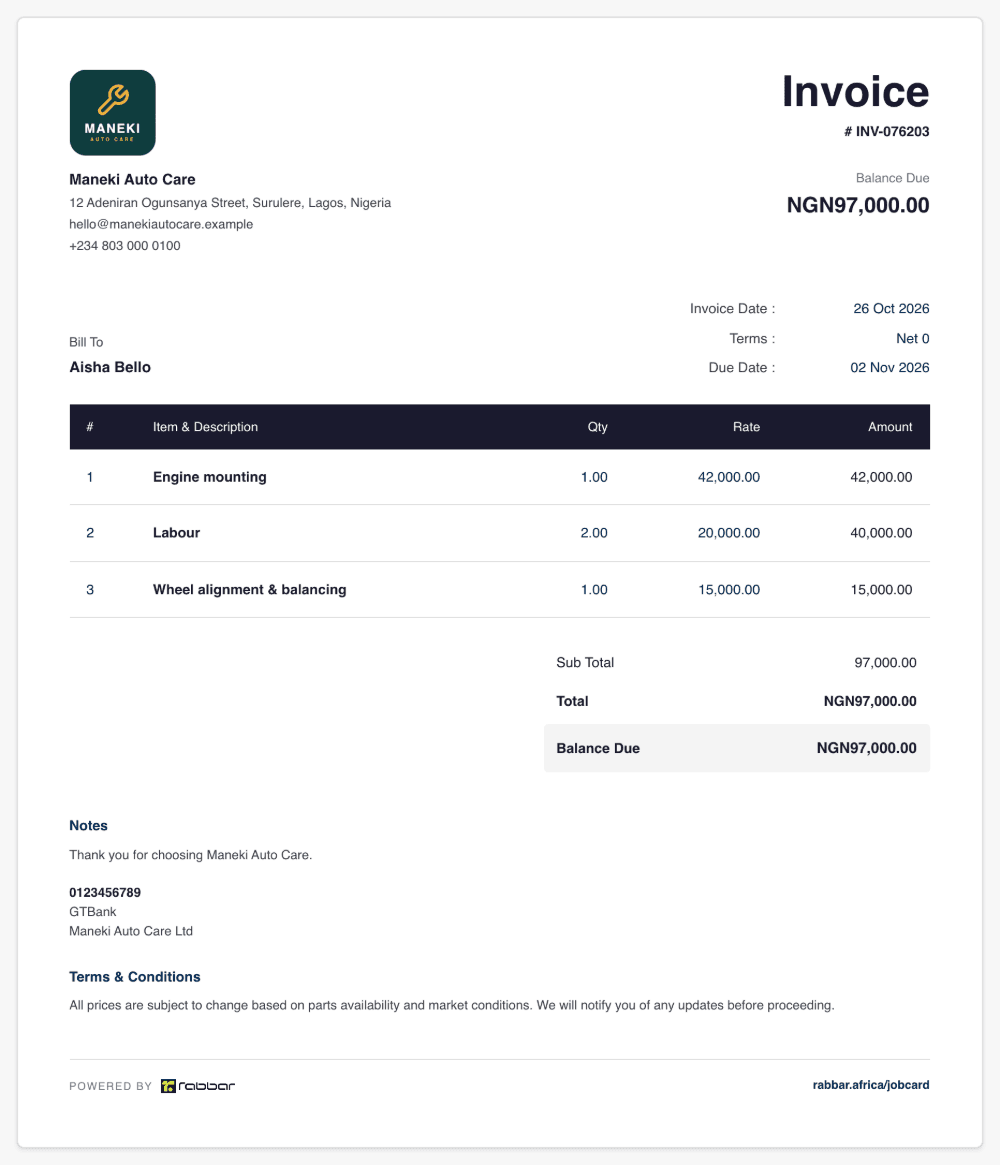
Invoice
Your logo, bank details and numbering, with the balance due.
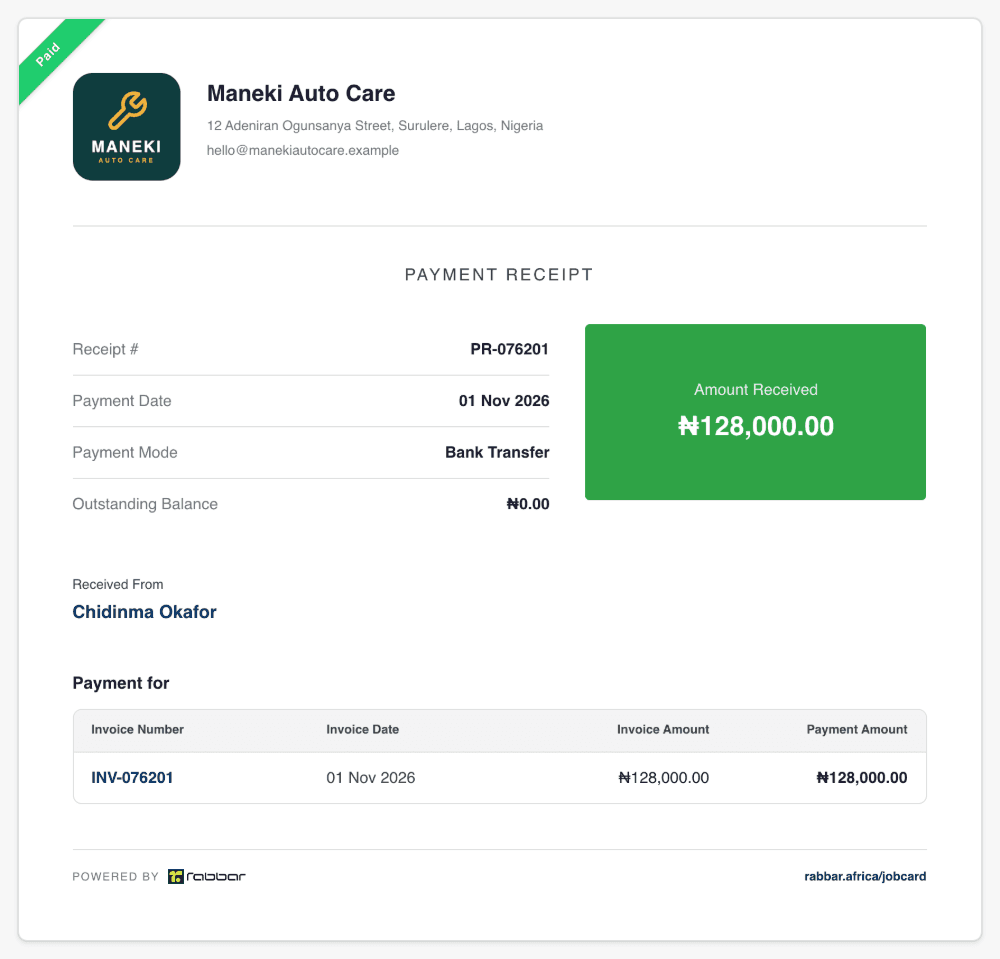
Payment receipt
Sent the moment a payment is recorded, from the app or WhatsApp.
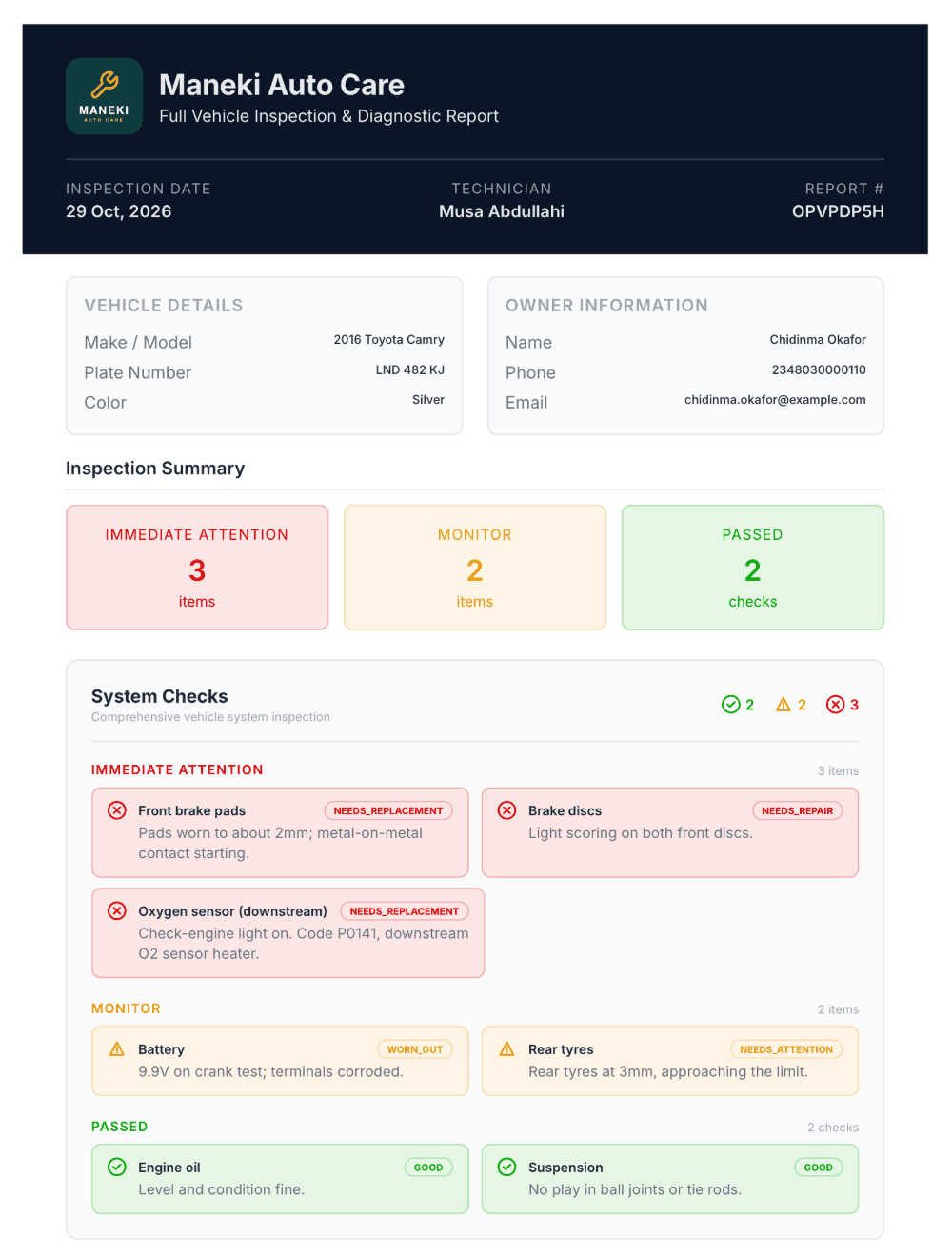
Vehicle inspection report
Every finding grouped by urgency, from what needs fixing now to what passed.
Invoicing that looks like a business
Invoices
A branded invoice PDF from every message
Every invoice carries your logo, address, bank details and your own invoice number. Rabbar matches the items you type against your saved price list, shows you the invoice to check, and creates the PDF when you tap Confirm.
- Your logo, address and bank details
- Items matched to your saved price list
- Discounts and VAT on an item or the whole invoice
- Old balances carried onto the new invoice
Receipts
A receipt the moment they pay
Record a cash, transfer, POS, card or cheque payment against the invoice, on WhatsApp or in the app. Rabbar works out the balance and produces a receipt you can forward straight away.
- Part payments, with the balance worked out for you
- A receipt PDF for every payment
Who owes you
Know exactly who still owes you
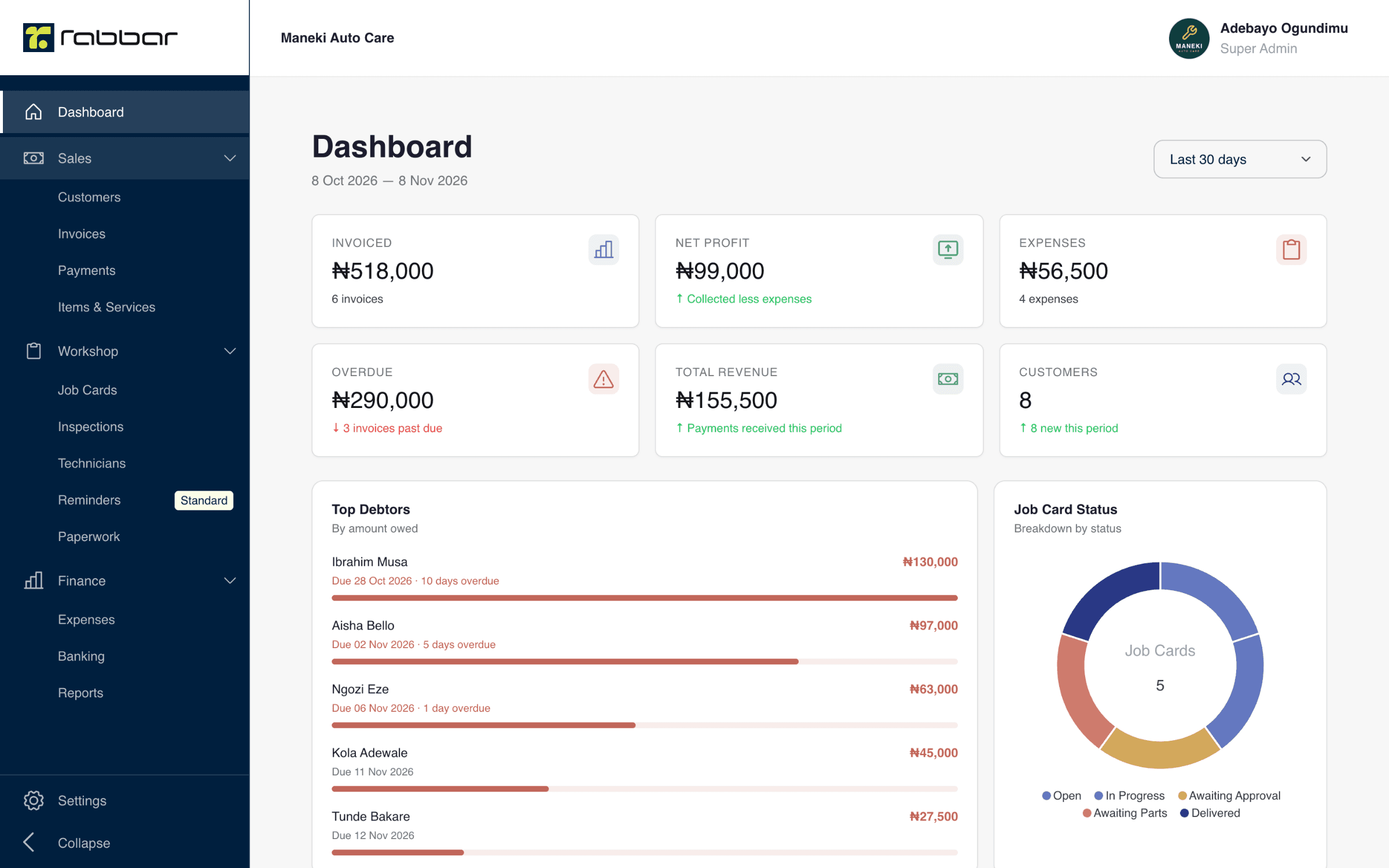
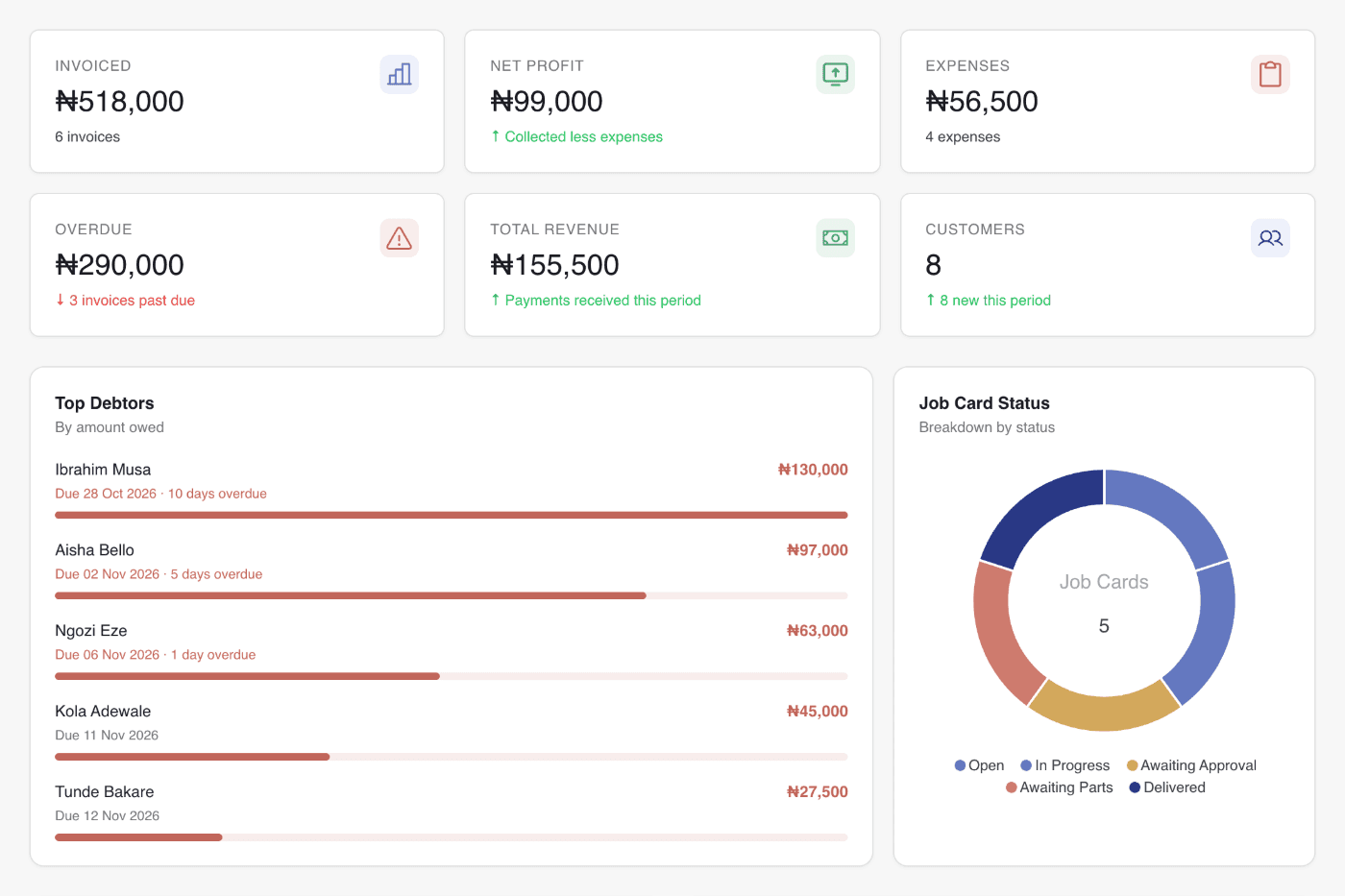
Ask the assistant for unpaid invoices, or open the dashboard: top debtors are ranked by how much they owe and how long it's been, so you know who to call first.
- Overdue invoices and top debtors at a glance
- Customer statements of everything they owe
Your team
Your staff can invoice on WhatsApp too
Invite team members and they can raise invoices and record payments from their own WhatsApp, under your business, while you decide what each person can see in the app.
- Team members join with an invite link
- Every invoice lands in the same business account
WhatsApp invoicing questions
How do I send an invoice on WhatsApp?
Set up your business on Rabbar, then message the Rabbar assistant with the job, for example "Invoice for Mrs Adeola, 2 agbada 25,000 each, delivery 3,000". It shows you the invoice to check. Tap Confirm and it sends back a branded PDF to forward to your customer.
Does my customer need an app?
No. Your customer simply receives the invoice or receipt PDF that you forward to them on WhatsApp, or by email.
Is WhatsApp invoicing free?
Yes. Invoices and receipts on WhatsApp are included on the free Starter plan. Paid plans add unlimited invoices and remove the Rabbar watermark.
Can I send receipts on WhatsApp?
Yes. Tell the assistant when a customer pays, choose how they paid, and it records the payment and sends you the receipt PDF.
What else can the WhatsApp assistant do?
It can find and edit invoices, list unpaid invoices, record and find payments, add and find customers and vehicles, and update your business details and logo.
Also in Rabbar
Job card software
A digital job card for every job, with technicians, status and the profit when it's done.
Learn moreVehicle inspection reports
A checklist on the phone, photos of every fault, and a branded report PDF.
Learn moreVehicle paperwork management
Insurance, vehicle licence and roadworthiness tracked, with an expiring-soon list.
Learn moreSee every plan and compare features on the pricing page.
Open your first job card today
Set up your business in a couple of minutes, then open a job card or send an invoice from WhatsApp. Free to start, no card needed. Prefer to be walked through it? Message us and we'll set it up with you.
+234 916 000 2836